

Boards and stages
A board is a set of columns, called stages, that work moves through. You choose the stages and their order, so a board can be your sales pipeline, your production schedule, or both.
Drag a card from one stage to the next as the work progresses.
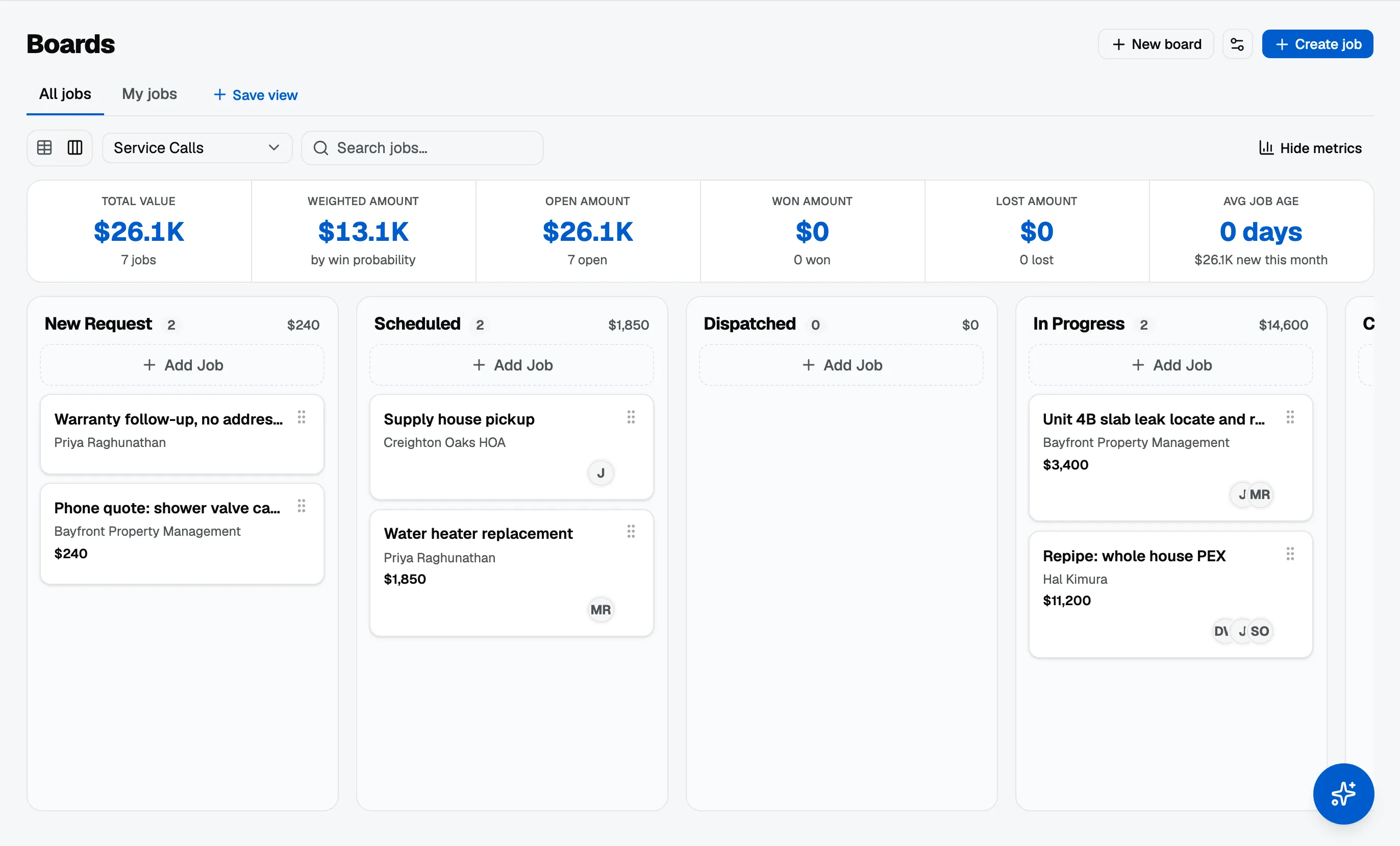
Three kinds of card
A board carries the whole pipeline, not just the jobs:
- Jobs, the work itself. A job card shows the job’s number, like
#47, and you can type your own reference over that number in Job Information on the job. - Estimates that do not have a job yet, marked with a dashed border and an Estimate badge. See quote before there is a job.
- Requests, inbound asks from your booking page or portal, marked with a Request pill. Open one and convert it into an estimate or a job.
All three count in each column’s totals, so the number at the top of a stage is what that stage is actually worth.
Moving an estimate or request card changes where it sits, nothing more. An estimate is not approved by being dragged, and a request is not accepted; those are decisions you take on the record itself.
Open, won and lost
Every stage is one of three kinds, and this is the part that does more than it looks:
- Open: still live.
- Won: the work is going ahead.
- Lost: it is not.
This is what separates your pipeline from your closed work in reports. A job sitting in an open stage counts as pipeline; won and lost stages take it out.
Weighting your pipeline
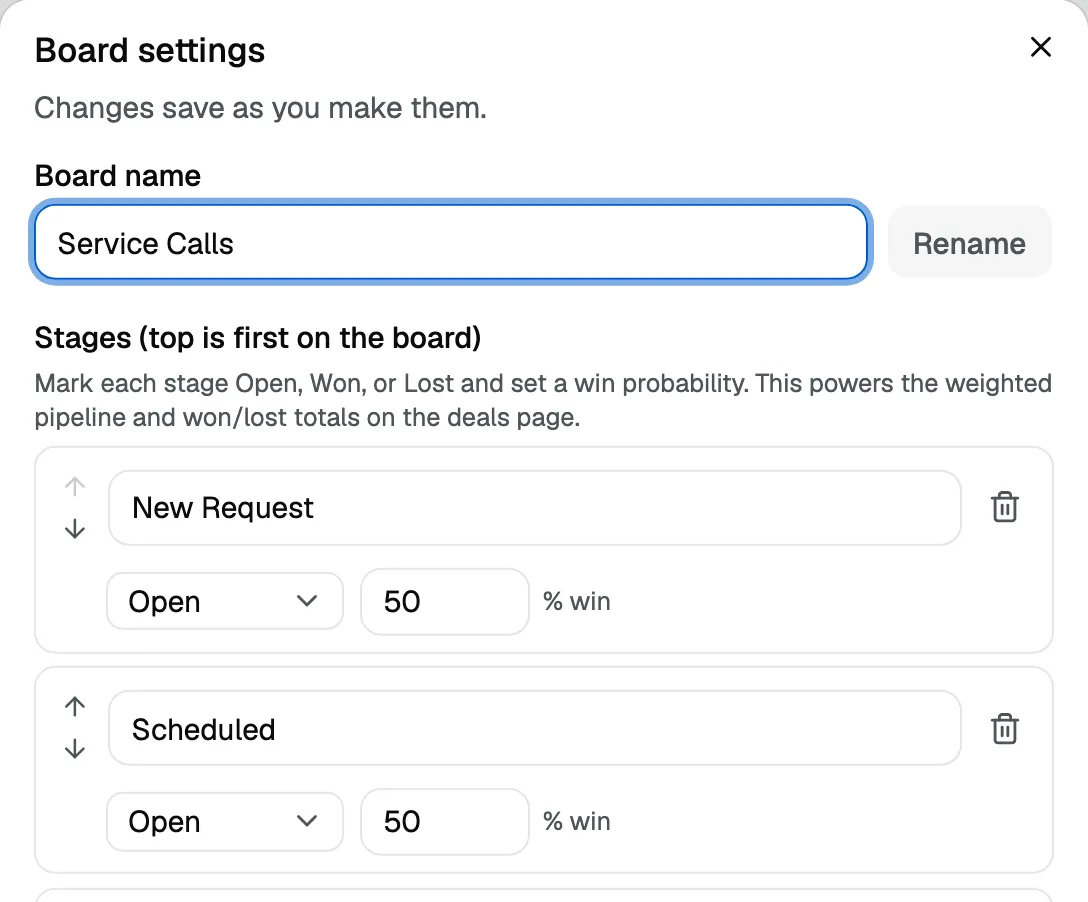
Each open stage carries a win probability. A quote you have just sent is worth less than one the customer has verbally agreed to, and setting a probability on each stage lets your pipeline total reflect that instead of adding up every open job at full value.
Won stages count at 100 percent and lost at zero.
Set these once when you build the board. They are a property of the stage, so every job that lands in it is weighted the same way and nobody has to remember to adjust anything.
You set them in Board settings, from the board itself rather than from Settings.
Narrowing what you look at
The Filters button opens a panel beside the board, so you can narrow by stage, salesperson, job type, open or won or lost, and value, while the board stays visible. There is also a table view of the same cards when a list is the better shape, and Move to board on a card’s menu when something belongs on a different board entirely.
My Jobs
My Jobs shows a person only the jobs assigned to them. It is the view to point a crew at when a full board is more than they need on site.