

Book a day, then a time if you need one
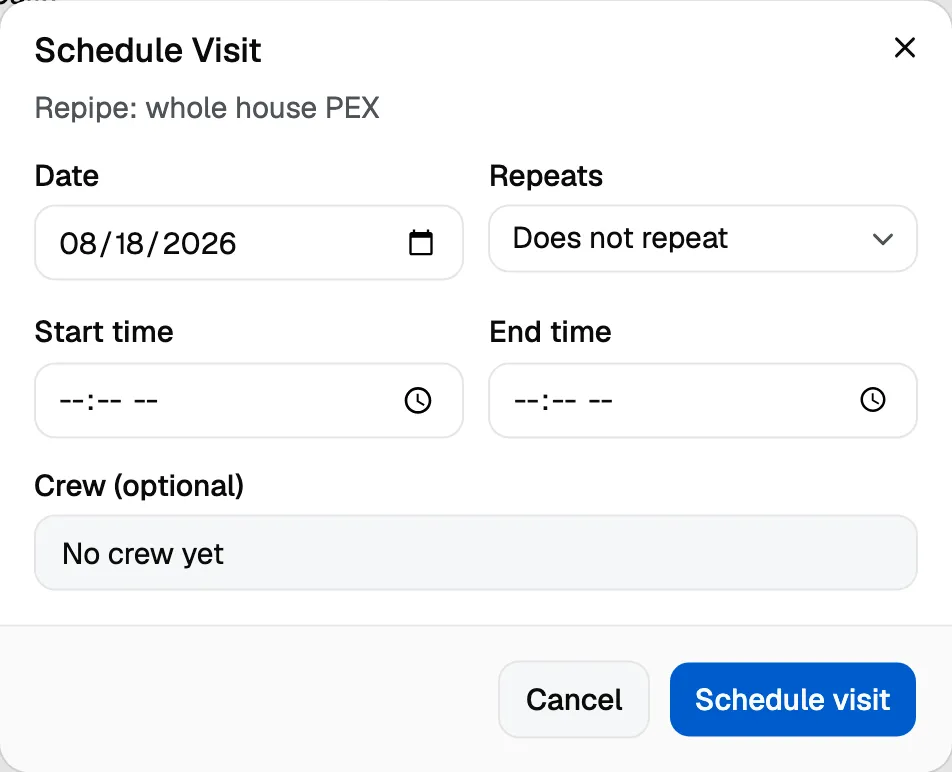
Every calendar entry belongs to a day. A time is optional.
- Leave the time off and it is an all day entry, the right shape for “sometime Tuesday”.
- Add a start and end and it sits at that time in the day and week views.
Book the day first and add the time when you know it. You do not have to invent a start time to get work on the calendar, and a customer who has been told “Tuesday” should not see 8:00 in your schedule.
A day is a date, not a moment
An entry booked for the 14th shows on the 14th, whichever device you open it on and wherever you are.
This matters if your crew travels or you work near a timezone boundary: the calendar is keeping a date, the way a paper diary does, rather than a moment in time that could land on a different page somewhere else.
What can be on the calendar
Three kinds of entry:
- Job, attached to a job so the work and the booking stay together.
- Estimate, for going out to quote.
- Internal, for anything that is not customer work.
Reminders
Crewfather sends a reminder text to the customer the day before, and sends your crew their visit links the day before too. Each goes out once per entry, so moving an entry around does not text the customer repeatedly.